Reflecting on the Ethereum Merge of 2022

The Ethereum Merge in September 2022 marked a significant shift in the cryptocurrency landscape, transitioning Ethereum from a proof-of-work (PoW) to a proof-of-stake (PoS) consensus mechanism. This change rendered traditional GPU mining for Ethereum obsolete, leaving many miners with substantial hardware investments and uncertain futures. In the aftermath, miners have explored various avenues to repurpose or liquidate their equipment.

Assessing Post-Merge GPU Mining Profitability

Immediately following the Merge, the profitability of GPU mining experienced a sharp decline. Alternative PoW coins saw a temporary influx of miners, leading to increased difficulty and reduced rewards. Many miners observed that the revenue generated did not cover operational costs, prompting a reevaluation of mining strategies. The swift adjustment in hash rates across various coins underscored the challenges of maintaining profitable GPU mining operations in the new landscape.

Exploring Alternative Uses for Mining Hardware

With traditional mining avenues less lucrative, miners have considered several options for their existing hardware:

  1. Transition to High-Performance Computing (HPC) and AI Applications:
    • The computational power of GPUs makes them well-suited for tasks beyond cryptocurrency mining, such as artificial intelligence (AI) model training and other HPC tasks. Some large-scale mining operations have begun repurposing their infrastructure to offer HPC services, capitalizing on the growing demand in sectors like AI and machine learning. This pivot requires significant investment in new hardware and expertise but offers a viable path forward for those equipped to make the transition.
  2. Selling Hardware to Recoup Investments:
    • For miners unable or unwilling to transition to HPC services, selling their GPUs presents a practical solution. Given the high demand for GPUs in gaming, content creation, and AI research, miners can liquidate their assets to recover a portion of their initial investment. Engaging with reputable bulk buyers or specialized resellers can streamline this process, ensuring fair market valuations and efficient transactions.
  3. Participating in Distributed Computing Projects:
    • Miners interested in contributing to scientific research can allocate their GPU resources to distributed computing projects like Folding@Home or BOINC. These platforms utilize donated computational power to advance studies in fields such as molecular biology and astrophysics. While not financially rewarding, participation offers a sense of community and purpose.

Market Dynamics and Future Considerations

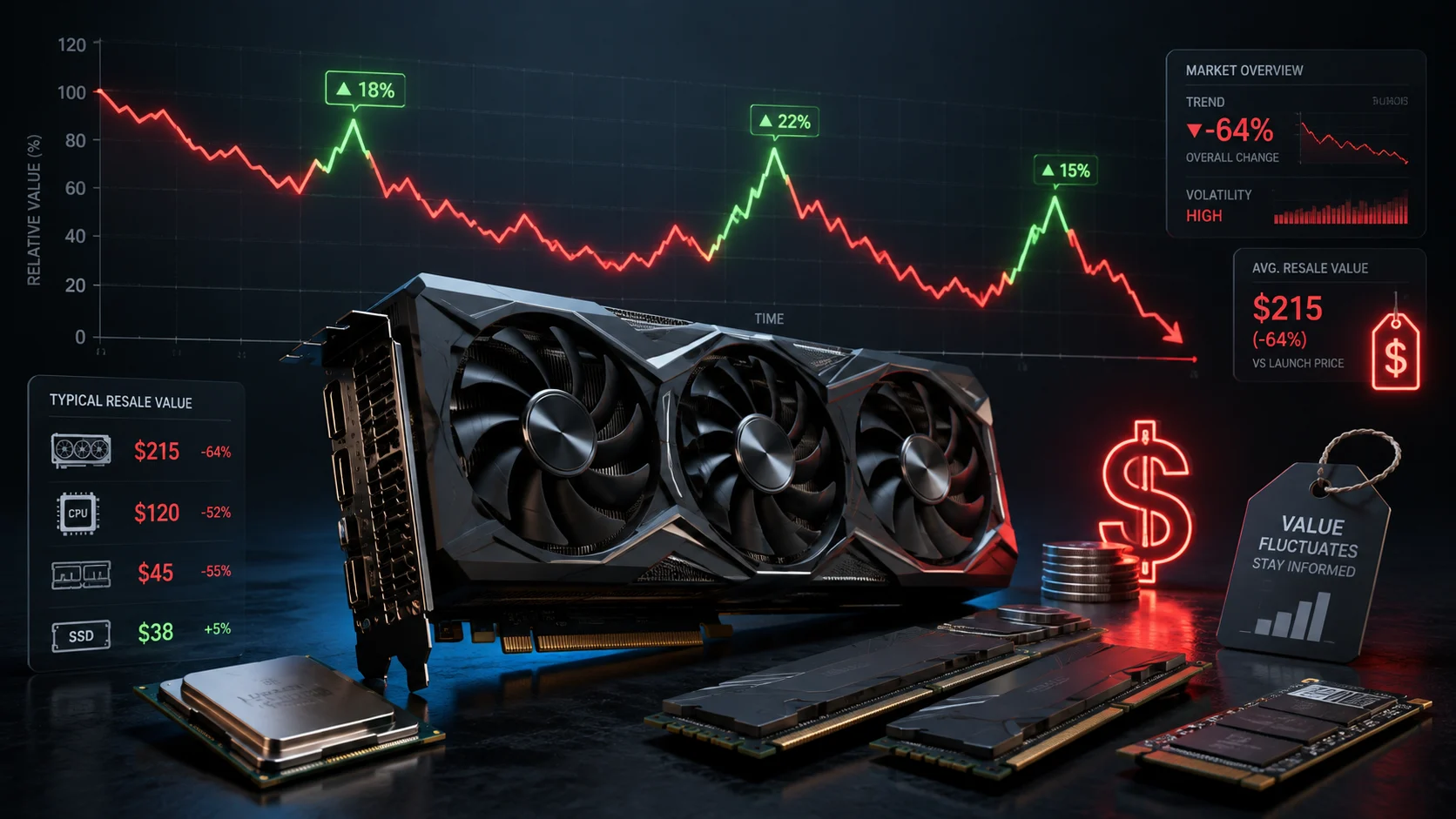
The post-Merge environment has led to an oversupply of used GPUs in the market, influencing both pricing and demand. As more miners opt to sell their hardware, the increased supply can drive prices down, affecting the resale value. Conversely, the growing interest in AI and HPC applications may absorb some of this surplus, potentially stabilizing the market.

Miners must stay informed about industry trends and assess the viability of alternative applications for their hardware. Collaborating with industry experts and exploring emerging technologies can provide new opportunities in the evolving computational landscape.

Conclusion

The Ethereum Merge has undeniably transformed the GPU mining sector, compelling miners to adapt to a rapidly changing environment. Whether transitioning to HPC services, liquidating assets, or contributing to scientific research, miners have several pathways to navigate the post-Merge reality. Proactive decision-making and flexibility are essential for capitalizing on new opportunities and mitigating potential losses in this dynamic landscape.

Ready to make the switch? If you’re planning to decommission your mining rigs amid the shifting crypto landscape, it’s time to turn your bulk PC components into real cash. With the Ethereum Merge and the subsequent decline in traditional GPU mining profitability, many miners are finding that increased mining difficulty, operational costs, and an oversupplied market are making it harder to sustain profitable crypto mining. Whether you’ve been battling rising energy costs or exploring alternative revenue streams, your mining hardware still holds significant value.

At SellGPU we specialize in buying bulk PC components from miners like you. Our streamlined process is designed with one promise in mind: Fast, Trusted, Secure. By partnering with us, you can quickly recoup a substantial portion of your initial investment, freeing up capital for new opportunities—whether you’re planning to dive into emerging AI and HPC applications or simply reinvest in your next venture.

Don’t let obsolete hardware depreciate in value. Take action now, secure competitive offers, and join the growing community of savvy miners who have pivoted to smarter asset management. Your mining journey may be evolving, but with sellgpu, your transition is built on speed, trust, and security.

Get in touch with us today and harness the full potential of your GPU investments!

The Importance of Recycling and Reselling Old Tech

In today’s fast-paced tech world, upgrading to the latest devices is common, but it’s crucial to manage old electronics responsibly. Improper disposal contributes to environmental harm, as e-waste can release toxic substances into our ecosystem. Recycling and reselling not only mitigate these risks but also conserve valuable materials and reduce the demand for new resource extraction.

The Environmental Impact of E-Waste

1. Preventing Pollution and Toxic Waste Contamination

One of the biggest dangers of electronic waste is the release of hazardous substances into the environment. Many electronic components contain toxic materials such as lead, mercury, cadmium, and brominated flame retardants. If disposed of improperly in landfills, these materials can seep into the soil and water supply, posing serious health risks to humans and wildlife.

By recycling electronic devices, these hazardous materials are properly handled, reducing the potential for soil and water contamination. Professional e-waste recyclers follow stringent regulations to ensure toxic substances are either neutralized or safely repurposed in new technology, preventing environmental damage.

2. Reducing Carbon Footprint

Manufacturing new electronics requires significant amounts of energy and raw materials. Mining metals such as gold, silver, and palladium for use in electronics is a resource-intensive process that results in deforestation, water pollution, and greenhouse gas emissions.

When you recycle or resell your old tech, you extend the life cycle of these materials, reducing the need for new mining operations. Refurbishing and reusing existing components also cuts down on energy consumption in production, ultimately reducing the carbon footprint associated with electronic manufacturing.

3. Minimizing Landfill Waste

Electronic waste is one of the fastest-growing waste streams in the world. According to the Global E-Waste Monitor, millions of tons of e-waste are discarded every year, with only a small percentage being properly recycled. This trend is unsustainable, as landfills continue to overflow with hazardous waste that could be repurposed.

Proper disposal through certified recycling programs ensures that obsolete tech doesn’t end up clogging landfills. Instead, functional components are extracted and reintroduced into the production cycle, minimizing overall waste.

The Importance of Resource Conservation

1. Reducing Energy Demand in Manufacturing

Extracting and processing raw materials for electronics require vast amounts of energy. According to studies, producing a single laptop can generate up to 300 kilograms of carbon emissions due to the extensive processing of raw materials.

By recycling or repurposing electronic components, manufacturers can significantly cut down on energy usage. Using reclaimed metals, plastics, and glass in the production of new devices conserves resources and reduces emissions associated with mining and refining new materials.

2. Preserving Non-Renewable Resources

Many of the materials used in electronics, such as lithium for batteries and tantalum for capacitors, are derived from non-renewable sources. These resources are finite, and excessive mining depletes them at an unsustainable rate.

Recycling ensures that these materials remain in circulation, extending their usability and reducing the strain on natural reserves. This approach benefits both the economy and the environment by promoting sustainable resource management.

The Economic Value of Reselling Old Tech

1. Generating Financial Returns

Rather than letting outdated technology gather dust, reselling old electronics can be a lucrative option. Many devices, particularly high-end GPUs, CPUs, and other components, retain substantial market value.

Selling these items to reputable resellers like SellGPU.com allows individuals and businesses to recover some of their initial investment. Whether upgrading to the latest hardware or liquidating surplus IT assets, reselling offers a financial incentive while promoting sustainability.

2. Making Technology More Accessible

The resale market for refurbished electronics plays a crucial role in making technology more affordable. Many individuals, businesses, and educational institutions rely on refurbished devices as cost-effective alternatives to new equipment.

By reselling functional devices, you contribute to the availability of affordable tech, helping bridge the digital divide and support communities with limited access to new electronics. This approach ensures that working technology is utilized to its full potential rather than being prematurely discarded.

3. Supporting Green Business Practices

Sustainable business practices are becoming increasingly important in today’s corporate landscape. Many companies now prioritize environmentally responsible IT asset management as part of their corporate social responsibility (CSR) initiatives.

By reselling used tech through platforms like SellGPU.com, businesses can demonstrate their commitment to sustainability while optimizing asset recovery. This not only enhances a company’s environmental reputation but also provides financial benefits by recovering value from retired IT equipment.

Ready to Make a Positive Impact? Choose SellGPU.com!

When it’s time to part with your used computer components, trust SellGPU.com—the fast, trusted, secure solution for reselling your tech.

Fast Processing: Quick evaluations and prompt payments ensure you get value for your items without unnecessary delays.
Trusted Service: Transparent transactions with a reputable partner give you confidence in the resale process.
Secure Handling: Your data and hardware are managed with the highest security standards, protecting your information.

Visit SellGPU.com today to turn your old tech into value while contributing to a sustainable future!

Maximize IT Asset Value: Secure, Sustainable & Profitable ITAD Solutions

Effective Information Technology Asset Disposition (ITAD) is essential for organizations to manage the end-of-life process for IT equipment securely, sustainably, and in compliance with regulatory standards. Implementing a comprehensive ITAD strategy not only safeguards sensitive data but also maximizes asset value and minimizes environmental impact.

Key Components of an Effective ITAD Strategy:

  1. Comprehensive Asset Inventory:
    • Maintain detailed records of all IT assets, including specifications, locations, and ownership. Regular audits ensure accurate tracking and inform disposition decisions.
  2. Data Security and Destruction:
    • Prioritize secure data erasure to prevent unauthorized access. Utilize certified data destruction methods, such as those conforming to NIST 800-88 Rev1 standards, to ensure complete data sanitization.
  3. Regulatory Compliance:
    • Adhere to relevant regulations governing data protection and environmental responsibility, including GDPR, HIPAA, and RCRA. Compliance mitigates legal risks and upholds organizational integrity.
  4. Environmental Responsibility:
    • Implement eco-friendly recycling practices to minimize e-waste. Partner with certified recyclers to ensure responsible disposal and support sustainability initiatives.
  5. Value Recovery:
    • Assess assets for potential refurbishment and resale to recoup value. This approach reduces waste and contributes to cost savings.
  6. Certified ITAD Partnerships:
    • Collaborate with certified ITAD providers that adhere to industry standards, such as R2 or e-Stewards, ensuring secure and environmentally responsible asset disposition.
  7. Employee Training and Awareness:
    • Educate staff on ITAD policies and procedures to ensure consistent adherence and mitigate risks associated with improper asset handling.

By integrating these components into an ITAD strategy, organizations can effectively manage the lifecycle of their IT assets, ensuring data security, regulatory compliance, environmental stewardship, and value recovery.

Ready to Maximize Your IT Asset Value? Sell with Confidence!

When it’s time to retire your IT equipment, choose SellGPU—the fast, trusted, and secure way to get the best value for your used computer components. Whether you’re a business managing bulk ITAD or an individual looking to sell a single high-end GPU, we make the process seamless and hassle-free.

Fast Processing & Payments – Get your payout quickly with our streamlined system.
Trusted by Thousands – We provide transparent evaluations and honor our quotes.
Secure Data Handling – We ensure your components are handled with the highest security standards.Turn your retired IT assets into cash today! Visit SellGPU.com for hassle-free resale or contact sales@sellgpu.com or 1-888-312-3003. 🚀

Maximizing Your Payout for Trading In Used Computer Components

Selling your used computer components can be a fantastic way to recoup some cash while keeping electronics out of landfills. To get the best payout, follow these steps when trading in your items with SellGPU.com.

1. Use SellGPU.com to Complete Your Order

SellGPU.com simplifies the process of trading in your used computer components. Start by visiting our website and inputting the details of the items you wish to sell. The system will generate an initial quote based on your input.

2. Verify Model and Count

Accuracy is key when submitting your order. Double-check the model numbers, specifications, and quantities of the items you are selling. Providing accurate information ensures you receive the correct quote and expedites processing. 

3. Send Items in Original Boxes if Available

If you still have the original boxes for your GPUs or gaming consoles, use them for shipping. Original packaging provides added protection during transit and enhances the presentation of your items, which can influence their evaluation. SellGPU will even pay a $10 bonus for original packaging of GPUs and Gaming Consoles.

4. Pack Your Order with Care

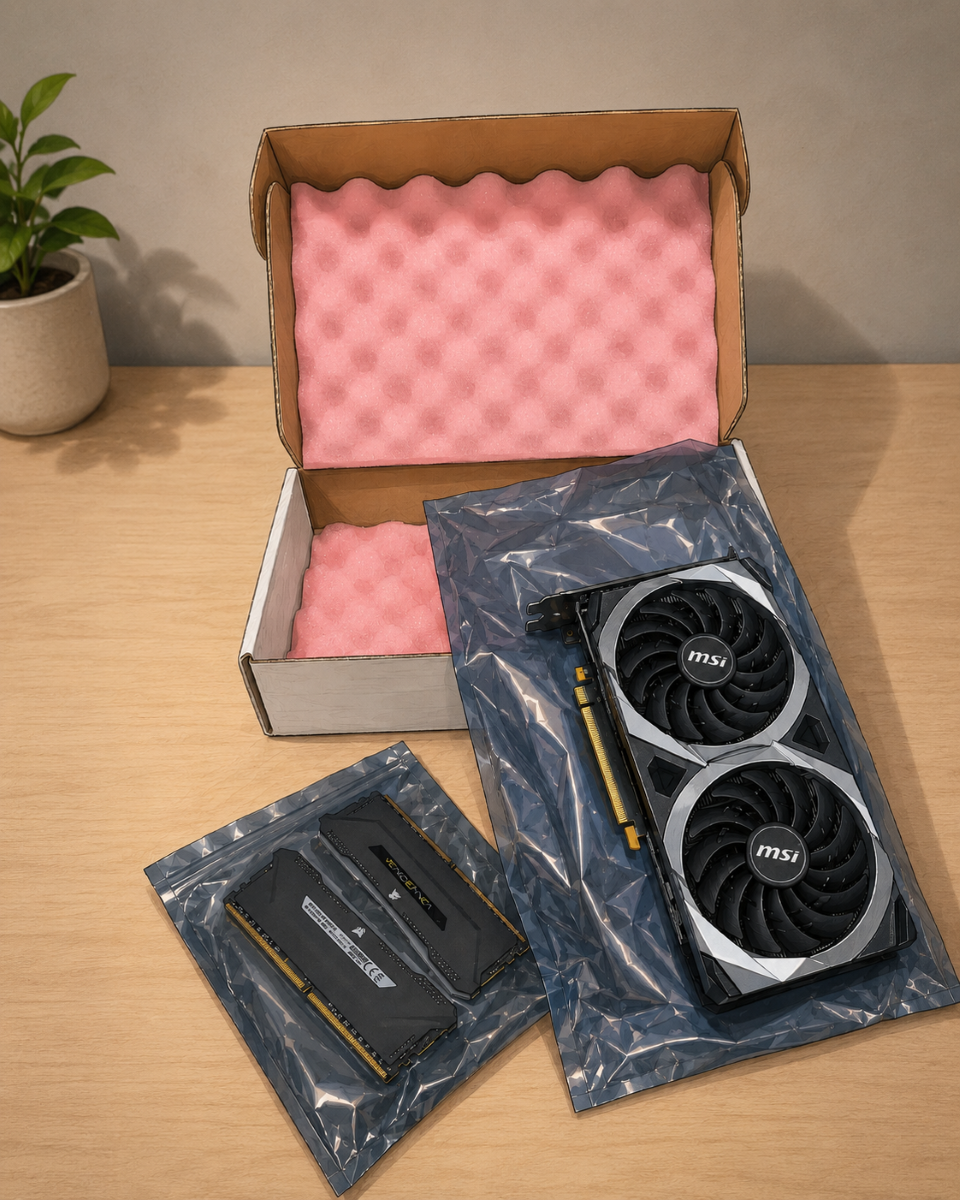
Proper packing prevents damage and ensures your items arrive safely. Use plenty of padding, such as bubble wrap or foam inserts, to protect your components during shipping.

  • Request Packaging Materials: SellGPU.com offers free boxes and free packaging materials upon request. These materials are specifically designed to ensure the safe delivery of your components and are chosen to best fit your order.

5. Send Your Order Promptly

Timing matters when selling used components. Send your order within two weeks of receiving your quote to lock in the quoted price. After this period, prices may be adjusted based on market conditions or product evaluations.

6. Understand Price Adjustments

Prices for used computer components fluctuate with the market. SellGPU.com adjusts their rates regularly to reflect current demand and availability. Rest assured, your quote is honored for up to two weeks after it is issued.

7. Take Advantage of Bulk Pricing

If you have a significant quantity of items to trade in, like lots, consider bulk pricing. Bulk pricing is an excellent opportunity for businesses or tech recyclers (ITAD) with large inventories to maximize your revenue. If this sounds like you reach out to sales@sellgpu.com for personalized pricing.

Final Thoughts

Trading in your used computer components doesn’t have to be complicated. By following these tips and working with SellGPU.com, you can ensure a smooth process and maximize your payout. From accurate listings to careful packing and timely shipping, each step helps you get the most value for your items. So come check out the site that is fast, trusted, and secure!

Nvidia 5000 Series GPUs: The Next Generation of Gaming and Performance

The gaming and graphics world is abuzz with Nvidia’s latest innovation—the 5000 series GPUs. Building on the groundbreaking advancements of the 4000 series, the 5000 series is set to redefine performance benchmarks for gamers, creators, and professionals alike. Let’s  explore the key performance specifications, compare the 5000 series to its predecessors (the 4000 and 3000 series), and help you determine if it’s time to upgrade.

Performance Specifications: A Leap Forward

The Nvidia 5000 series GPUs are powered by the Blackwell architecture, delivering unprecedented performance and efficiency. Some highlights of the 5000 series include:

  • Core Count and Clock Speeds:
    • Up to 25% more CUDA cores compared to the 4000 series.
    • Boost clock speeds reaching up to 2.9 GHz, enhancing real-time rendering and AI performance.
  • Memory and Bandwidth:
    • Equipped with GDDR7 memory, offering a 40% increase in bandwidth over the 4000 series’ GDDR6X.
    • Memory capacities range from 12GB to 24GB on flagship models, catering to demanding workloads and next-gen gaming.
  • Ray Tracing and AI Enhancements:
    • Third-generation RT cores improve ray-tracing performance by up to 30%.
    • Fourth-generation Tensor cores accelerate AI-driven features, such as DLSS 4.0, which delivers smoother gameplay and improved upscaling quality.

Note: These metrics above apply when running DLSS 4.

Comparison: Nvidia 5000 vs. 4000 vs. 3000 Series

Performance Gains

The 5000 series offers a significant performance boost over the 4000 and 3000 series. For instance, the RTX 5090, Nvidia’s flagship GPU, boasts:

  • A 30% increase in FPS in 4K gaming compared to the RTX 4090.
  • Nearly double the performance of the RTX 3090 in AI-intensive tasks and rendering workloads.
  • Improved latency, making it ideal for competitive gamers who demand split-second responsiveness.

Feature Enhancements

While the 4000 series introduced DLSS 3.0 and improved ray tracing, the 5000 series takes these technologies to the next level:

  • DLSS 4.0: A game-changer for frame generation, delivering lifelike visuals without compromising performance. Compared to DLSS 3.0, the new version reduces input lag and offers better scaling for 1440p and 4K resolutions.
  • Ray Tracing: Games with heavy ray-tracing workloads see a 25-30% improvement in rendering times, ensuring smoother and more realistic visuals.

Pricing and Availability

Early reports suggest that Nvidia is maintaining competitive pricing for the 5000 series, positioning it similarly to the 4000 series at launch. Although this makes it a premium investment, the added longevity and performance gains justify the cost for enthusiasts and professionals.

Should You Upgrade?

If You Own a 3000 Series GPU

For 3000 series users, the jump to the 5000 series is a substantial upgrade. The 5000 series doubles down on performance, offering better ray tracing, enhanced AI features, and increased memory bandwidth. Gamers who want to experience next-gen titles at their full potential or creators who require faster rendering times will see a noticeable difference.

If You Own a 4000 Series GPU

The decision to upgrade from a 4000 series GPU depends on your specific use case. While the 5000 series offers a 20-30% performance boost when using DLSS 4, 4000 series owners might find it harder to justify the leap unless they are early adopters or professionals needing the latest features.

If You’re Using Older or Integrated Graphics

Users still running on older GPUs or integrated graphics will find the 5000 series a transformative upgrade. It’s an investment that future-proofs your system for years to come, enabling you to handle cutting-edge games, demanding creative applications, and AI-driven workflows effortlessly.

Conclusion: A Worthy Upgrade

The Nvidia 5000 series GPUs set a new standard in graphics performance, combining cutting-edge technology with improved efficiency. Whether you’re a gamer chasing higher frame rates, a content creator looking to optimize workflows, or a professional seeking unparalleled compute power, the 5000 series delivers.

For users of the 3000 series or older GPUs, the upgrade is a no-brainer. The leap in performance, coupled with the enhanced features and efficiency, makes it a worthwhile investment. Even for 4000 series owners, the 5000 series presents compelling reasons to upgrade, especially if you’re aiming to stay ahead of the curve.

With your upgrade on the way turn your old hardware into cash through our fast, trusted, and secure platform at SellGPU.com

Why GPUs Should Be Recycled

A gaming computer with a good graphics processing unit (GPU) creates an optimal visual gaming experience. When it’s time to upgrade your gaming PC or console, you can choose to recycle the technology components or complete a console trade in. Here is more information about how GPUs work and why it’s beneficial to recycle them:

What Are GPUs?

GPUs help make the visuals of video content more realistic and enjoyable. They provide both 2D and 3D graphics for video games, adding depth to characters and landscapes. Most gaming and workstation computers come with GPUs installed. Individuals who build their own computers must purchase the GPU or game cards separately to get their desired graphics quality. While initially created for gaming, GPUs are now used in many industries that rely on technology. These components generate computer graphics within various systems that help accelerate companies’ workloads.

When to Recycle or Trade In

If your GPU has passed its warranty date, returning or repairing it could result in costs that are greater than the part’s worth. You can recycle your outdated GPU by sending it in for recycling. This can help you regain some of the cash you’ll need to buy a newer model. Recycling is also a good option if you have an older gaming PC with many outdated components or damaged pieces. Aging components can leak harmful chemicals that shouldn’t be placed in landfills. Sending old, unusable computers to a company specializing in buying and recycling individual parts makes it easier to dispose of your gaming setup. 

Gaming PCs are constantly being upgraded to give users access to newer, more advanced models. If your gaming experience is beginning to lag, it’s time to explore available console trade in programs. You can sell your computer as a whole unit, including the GPU. You can also update individual parts of your PC by selling components like the GPU. If you have gaming or workstation computers you no longer use, it may be time for a trade in. An older PC with a high resale value can be sold as a whole or in individual parts for high prices. These trade in options give you immediate access to funds that you can use to purchase newer models or parts.

Benefits of Recycling GPUs

Recycling GPUs keeps hazardous electronic waste out of landfills. The metals in these components can be reclaimed and turned into new computer parts. This helps manufacturers save time and money on procuring raw materials for production, lowering consumer prices and protecting the environment. At SellGPU, we buy and recycle used GPUs and other computer hardware, enabling you to purchase newer, updated models.

Explore Computer and Console Trade In Programs

If your gaming PC is outdated or has glitches when playing, you can sell the entire system or the GPU. Give SellGPU the chipset details of your GPU and the specifications of your PC’s hard drive, memory, and central processing unit to get a quote for your trade in. We’ll give you packing and mailing instructions for your PC or GPU to confirm that it arrives at our facility safely. Once we receive and test your products, we will send your payment within three days. Contact us today to learn more about trading in and recycling your GPU and other computer hardware.

4 Data Security Measures Involved in Electronics Recycling

Recycling unused electronics creates an opportunity to declutter your space and receive compensation. You can sell computer components, cell phones, gaming consoles, and other outdated or broken devices to electronics recyclers. Removing all personal information from these devices improves your data security during and after recycling.

About Electronics Recycling

Individuals and businesses can sell separate electronic components, like GPUs, CPUs, and RAM, to recyclers. They can also sell unused electronics as whole units, such as gaming PC setups, mining rigs, and personal computers. The recycling process involves disassembling these pre-owned electronics to reclaim metals and other valuable components.

If the components can be refurbished, the electronic is repaired and resold. If the device is too damaged, recyclers remove materials like batteries, bulbs, metal, plastic, glass, and wiring that can be reused in new electronics. These components are sorted by material and then cleaned before recycling. Reusing these components reduces the need to procure more natural resources for manufacturing new electronics. Recyclers also take careful measures to dispose of toxic electronic waste properly to protect the environment.

Data Security Measures

Before you donate or sell computer components, confirm that the recycling company is reputable and has data security policies in place. This helps protect you from future data breaches involving your recycled technology. Here are some of the data security efforts sellers and recyclers may take to protect sensitive information:

1. Restore Factory Settings

Remove all personal information from your computer or gaming console before selling or donating it. This includes documents, images, and other private data. Transfer all the content you want to save to an external storage device. This could be a flash drive, memory card, or hard drive. After you have safely moved your personal information to your storage device and removed the device from your computer, you can restore your computer to its factory settings. This option can be found in the general settings and can’t be reversed once completed.

2. Overwrite Remaining Data

Recycling companies use secure software solutions to remove leftover data from donated technology. One of the most common wiping solutions is overwriting software. Overwriting software identifies and replaces a file’s original data to make it unreadable. The overwritten data is challenging for future owners to recover, improving the device’s data security before recycling. Recycling companies that hold NAID AAA Certification have proven that their data-wiping processes comply with strict security standards.

3. Destroy Physical Components

Some data storage may be impossible to remove from your electronics. If electronics recycling companies can’t wipe or overwrite your devices, they may destroy the physical components. This includes disassembling the product and breaking, crushing, or shredding it. The recycler should provide the seller with a certificate of destruction to prove that all secure data was disposed of properly. 

4. Track Ownership

Some recycling companies may track the donated and recycled devices. This involves keeping a record of the original owner and who purchased the recycled components. Tracking this information provides evidence if the original owner experiences a data breach related to their donation. 

Sell Computer Components to a Recycler

SellGPU offers secure recycling services for individuals and businesses looking to sell computers, laptops, cell phones, and gaming console components. Send us information about your device’s model and specifications, and we will generate a free quote. We also provide step-by-step instructions to help you prepare your electronics for shipping and recycling. Contact our team today to learn more about our data security practices and electronics recycling services.

ITAD: What It Is and the Types of Equipment That Can Be Sold or Recycled

Upgrading your IT equipment helps you stay competitive and meet changing business needs. Disposing of your old equipment can lead to data security risks and environmental concerns. Information technology asset disposition (ITAD) services help you securely dispose of, recycle, or sell old equipment that holds sensitive information. We offer various ITAD and other services, such as console trade in options.

Defining Information Technology Asset Disposition

Information technology asset disposition, or ITAD, refers to the responsible management of old or excess IT assets. These assets include computers, servers, and other electronic devices that hold sensitive company or client data. SellGPU is a leading ITAD company that helps you recycle and dispose of your outdated equipment responsibly. We destroy all data and follow a secure disposal process to remain compliant with industry standards. Our ITAD services include asset tracking, data sanitization, data erasure, recycling devices, and more.

Types of Equipment That Can Be Recycled or Sold

Unneeded equipment that contains sensitive data can result in fines and take up valuable space. SellGPU helps you sell or recycle the following types of equipment:

Data Center Hardware

Data center hardware encompasses a data center’s physical equipment and infrastructure components. This includes computing, storage, networking equipment, and servers. It also includes supportive infrastructure, such as power and cooling systems. This equipment helps data centers maintain their operational efficiency and data integrity. We use industry-compliant recycling processes and secure data erasure techniques to make sure sensitive information is permanently removed from the hardware before recycling it.

Data Bearing Devices

A data-bearing device is any storage device that contains sensitive data. This includes hard disk drives (HDDs), solid-state drives (SSDs), USB drives, and mobile phones. These devices can hold personal data and corporate information. We use data sanitization methods, including data wiping, to make sure that sensitive information is permanently erased and unrecoverable before disposing of these devices.

Storage Devices

Storage devices are hardware components used for storing and accessing large amounts of digital data. These devices include memory cards, hard disk drives (HDDs), tape drives, and network-attached storage devices. Our ITAD services can help you safeguard your data privacy, achieve regulatory compliance, and promote sustainability within your organization.

GPUs

Graphics processing units (GPUs) are computer chips designed to accelerate the rendering of images, videos, and graphic content in computers and electronic devices. They are often used in gaming, scientific computing applications, and digital content creation. We can ensure that sensitive information on these devices is completely destroyed, mitigating the risk of a data breach and protecting your sensitive data.

Choose SellGPU for ITAD Services and Console Trade In Options

Information technology asset disposition offers a sustainable and secure solution for organizations wanting to retire outdated or surplus equipment. SellGPU can help you move, sell, or recycle your IT assets and is one of the leading semiconductor recyclers. We are R2 and ISO 14001 certified and HIPAA compliant. We also sell used computer components and offer console trade in. Contact us today to learn more about our services.

How to Safely Dispose of Out-Of-Date Computer Equipment

Used or broken computer parts require special disposal due to the risk of toxic substances leaking into water and soil. Options for responsible disposal include choosing to recycle, donate, or sell computer parts. SellGPU buys used computer parts with a fast online quote and free mailing box. Here is more information about safely disposing of out-of-date computer equipment:

Electronic Waste Recycling Centers

E-waste recycling centers properly dispose of old computers or electronic parts by shredding the pieces and sorting through them for reusable metals. Many items contain gold, silver, platinum, or palladium, which are reusable when properly collected. Recycling centers also sort non-metallic items and send plastic to be used in new products.

Check with your local government for information on where to find electronic recycling centers, their operating hours, and what items they take. This information may be available in a brochure or on their website. Some technology-based companies also accept electronics for recycling.

Local Recycling

City governments may have specific days or weeks of the year when old electronics can be left on a curb for collection or taken to specially designated bins around the area. Some recycling centers or secondhand companies charge for e-waste, while sponsored recycling days can provide residents with a free, convenient option. Contact your local government for more information on the next responsible recycling event.

Donation

Most old computer hardware is still usable and can be reused or repurposed. Several nonprofits and educational programs accept used electronics. These donations give others access to technology and help stretch the limited budget of schools. Call local charities or schools to see if they accept hardware donations.

Some national organizations accept functioning computer parts to refurbish and give to communities or individuals in need. Others will accept unusable devices for their parts and use the proceeds to fund their programs. These donations may be tax-deductible, so make sure to get a receipt.

Trade-in 

Some major manufacturers and licensed dealers offer trade-in programs for used electronics. Trade-ins are a convenient way to upgrade your old equipment without contributing to e-waste. Companies will reuse or refurbish your used products and may provide free shipping so you don’t have to visit in person. Research your brand-name electronics to determine if this is an option for your device model. Cell phones, laptops, and tablets are common items eligible for trade-in deals. 

Sell 

The secondhand electronics market is robust and offers sellers many options, including online listings, pawnshops, and dedicated used electronic retailers. Evaluate the available choices and pick a reputable platform before listing an item. SellGPU gives you an instant quote for your parts and provides a free USPS pickup. Certain manufacturers and models of products retain their value better than others, so research a fair price before trying to sell computer items.

Reasons To Choose Proper Disposal

Instead of being thrown away or stored in the back of a closet, projectors, televisions, phones, and computers can be recycled. Digital and electric items contain recyclable materials and ones that are harmful to human and environmental health. Sustainably disposing of electronics helps prevent the need to create new materials and saves significant energy.

One study found the average American household uses roughly 28 electronic devices. Each year, Americans generate millions of tons of consumer electronic goods. Responsible electronic disposal extends the lifecycle of these materials and contributes to the creation of new green jobs.

How To Take Safety Precautions 

Digital equipment stores private data you’ll want to remove before selling or recycling. Begin by creating a backup of any files or data you need, and then wipe the drive using a secure method. Before you sell computer drives, re-install a clean copy of any software to avoid performance issues. To sell a smart TV, log out of any applications and reset it. These precautions protect your information and make the device easier for the new owner to use.

Sell Computer Parts at SellGPU

Proper electronic disposal has many benefits, including environmental conservation and energy savings. When selling your computer parts, prices can vary and depend on factors such as the item’s age and condition. SellGPU buys computer parts, gaming consoles, IT equipment, and other used electronics at fair prices. Get an online quote from us today.

4 Tips for Preparing Your Computer or Console for Trade In

Trading in your old computer or console allows you to upgrade to the latest model while recouping some of your investment. SellGPU will purchase and sell pre-owned computer components and gaming hardware. We also offer secure data-wiping services to make sure all of your personal data is removed from your old devices. If you want to take advantage of a computer or console trade in, follow these four tips:

1. Back Up Your Data

By backing up your data, you can keep and protect your files, personal information, and game progress. This can include documents, photos, and other backup files. Backing up your data also makes your information readily accessible so you can transfer it to your new device when you upgrade. Taking these precautions can protect you from potential data loss and corruption during the trade in process.

2. Disconnect Removable Components

Disconnect removable components from your device before sending it in. Removable components can include flash drives, USB hubs, Bluetooth devices, or cords. This helps protect your personal data and information and reduces the risk of damage during transit, as loose components can cause internal damage to your computer. Removing them also allows you to use them with your new computer or console once you complete the trade in. 

3. Reset To Factory Settings To Wipe Your Data

Resetting to factory settings effectively erases all user data, settings, and applications from the device. This can remove your personal information, documents, and passwords, which protects against unauthorized access to your sensitive data. You should also reformat your drive to make sure no files are left behind. This erases all existing history and renders it irretrievable to the next owner of the device. It also makes sure the new owner receives a fully functional device that is free from prior customizations.

SellGPU can wipe files that remain on your computer after trade in. Our data-wiping process follows industry standards to securely erase any information before we sell your device.

4. Clean the Computer’s External Components

Before sending your device to SellGPU, we ask that you disinfect your computer or console’s screen, keyboard, and surface. This allows it to have a clean and well-maintained appearance that enhances the presentation of your device. Regularly cleaning your device can also protect it from dust and dirt buildup or any debris that could damage it. This also helps enhance its trade in value. 

Request a Quote for Your Console Trade In Today

Following these steps can help you remove private data from your electronics, save your files, and clean your computer for trade in. SellGPU purchases computers, computer components, and gaming hardware. We offer fast and free quotes. If you accept, you can pack your computer or console and drop it off at your nearest post office. After receiving and testing your equipment, we will send your payment within three days so you can upgrade your equipment or device. Get a quote today to see what your computer or console trade in is worth.