

Sell PCs & Components In Bulk
When replaced by newer models, old PCs and components often gather dust on a shelf or in a neglected storeroom. If you’re a casual PC user or office worker, these extra electronics may not pose a problem.
Selling My PC Inventory in Bulk
Turn your old laptop or PC into cold hard cash. SellGPU is a top-rated company that purchases second-hand electronics and parts such as laptops, computers, used computer components, server components, gaming PC devices, and more. We can purchase computers and PC parts in bulk from almost any brand so you can trade in your old inventory and make way for a newer stock of computers.
Here are some things that you can sell through SellGPU
- Name-brand PCs and laptops
- Custom PCs and laptops
- Gaming PCs and laptops
- Old hardware
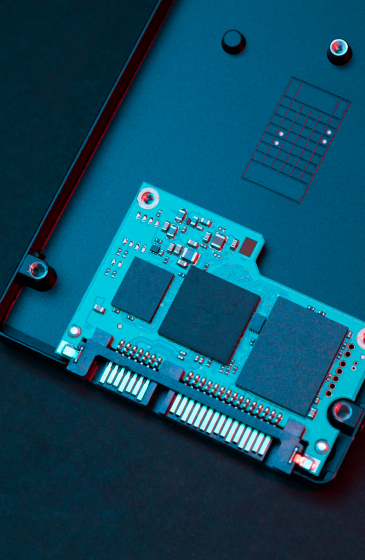
- PC parts (external hard drive, graphics card, hard disk)
- And much more
How to Prepare Your Old Computer for Sale
Before selling your old PCs for extra cash, you’ll have to do a little prep work. Here are the following things that you need to do to get a PC ready to sell.

Back Up Your Personal Files
It’s crucial to back up your personal files and save them to a new device or cloud storage because you’ll need to delete every file on your old device. You don’t want the new owner of the PC to have access to your important files.

Log Out of Every Account
To make sure no one can access your personal information after selling your desktop or laptop, take a moment to sign out of all of your email accounts, social media profiles, apps, retail websites, and services on your Windows PC. You should take that extra precaution because the next owner might take advantage of any oversight.

Factory Reset Button
You should never sell a personal computer that still has files, data, or confidential information on it. Perform a factory resetting; all of your files and information will be wiped clean and the computer will revert back to factory settings. You don’t have to be an expert to reset your name-brand or custom PC. You can find easy instructions on how to find the change settings option and complete the process in just several hours.

Clean the Exterior of the Computer
Naturally, you never want to offer an unsightly or dirty computer to potential buyers. For this reason, complete cleaning of the actual machine is also required. Spray compressed air on everything, and clean the desktop or laptop casing, the monitor, and any other exterior components.
Frequently Asked Questions
We are happy to address any issues or hesitations our customers have in doing business with us. Below are some of the most frequently asked questions we get.
- Box it – box up & put on shipping label
- Schedule a Free Pick-up (USPS only) – create a free account on USPS.com & schedule a free pick-up by them online
- Drop it Off – Head to your local Post Office (or UPS Store for PC trade-ins / bulk). Skip the line. Walk to the front & drop box off on counter. The Post Office (or UPS Store if UPS label) usually have a spot at the end of the counter to drop off pre-labeled packages.
- Trusted since 2014 – Founded in 2014. Credible, Reliable & Trustworthy.
- Fast Payment – We pay fast, same-day. Zelle/PayPal/ACH/Wire/Overnight Check/BTC/ETH.
- Free Packaging & Shipping– We send free anti-static shipping boxes directly to you (“mailers”) along with free return labels. Your components are 100% insured from the moment you ship.
- Schedule a Free Pick-up (USPS only) – create a free account on USPS.com & schedule a free pick-up by them online
- Drop it Off – Head to your local Post Office (or UPS Store for PC trade-ins / bulk). Skip the line. Walk to the front & drop box off on counter. The Post Office (or UPS Store if UPS label) usually have a spot at the end of the counter to drop off pre-labeled packages.